Construction Software

Automated time tracking and project management for Construction Companies

Byggexp mobile
Root cause
80%
Root cause

Companies lose money because they still do manually what successful have already automated

Timesheets are sent via SMS or paper — administration manually transfers them into Excel
A worker forgets to submit hours — someone has to call and remind them
Hours from the site do not match the customer's records — time is wasted resolving discrepancies
Office staff spend dozens of hours on manual Excel data entry
What Will You Gain From Working With Us?

From day one you'll start saving time on tasks that were previously done manually.

What changes for the management:

Hours Instantly in the System

Invoices can be issued without waiting or reminders.

Excel Export

Ready-to-use hours for payroll and invoicing in one click.

Automatic Task Reminders

No need to call and remind employees manually.
Site Monitoring

See in real time who is working, where they are working, and who is absent.

What the construction crew gets:

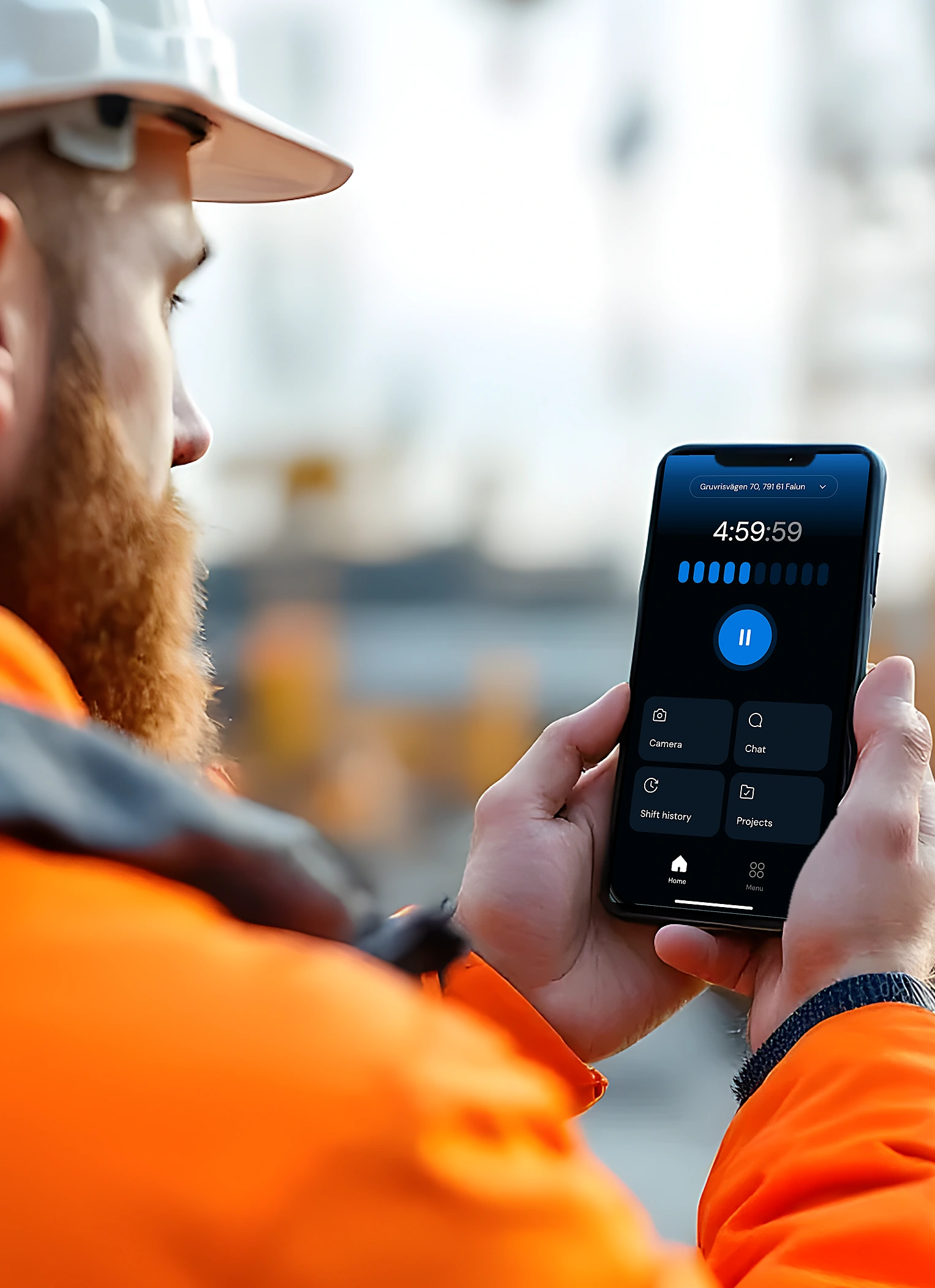
Time Tracking on the Phone

Clock in and out in just a few seconds.

Tasks Without Calls

Tasks are available directly in the app with automatic reminders.

Everything in One Place

Photos and documents are linked to shifts and projects.

Instant Notifications

All project participants receive notifications at the same time.

How It Works

9 tools that eliminate 60% of administrative work

No laptop required. No secretary required. Just a smartphone already in your pocket.

Automatic Time Tracking and Excel Export

Employees select a project and press Start. ByggExp automatically tracks working hours and verifies via GPS whether the employee is on site.

  • 1Create a project and assign employees
  • 2Employees start a shift with one tap
  • 3Export ready-to-use Excel reports in a few clicks

Tasks with Automatic Follow-Up

Tasks can be assigned to everyone on a project, selected employees, or a single worker. If a task is not completed, the app automatically sends reminders at your chosen intervals.

  • 1Open the project and click Create Task
  • 2Set recipients, deadlines, and reminder intervals
  • 3Reminders stop automatically when the task is completed

Live Workforce Monitoring

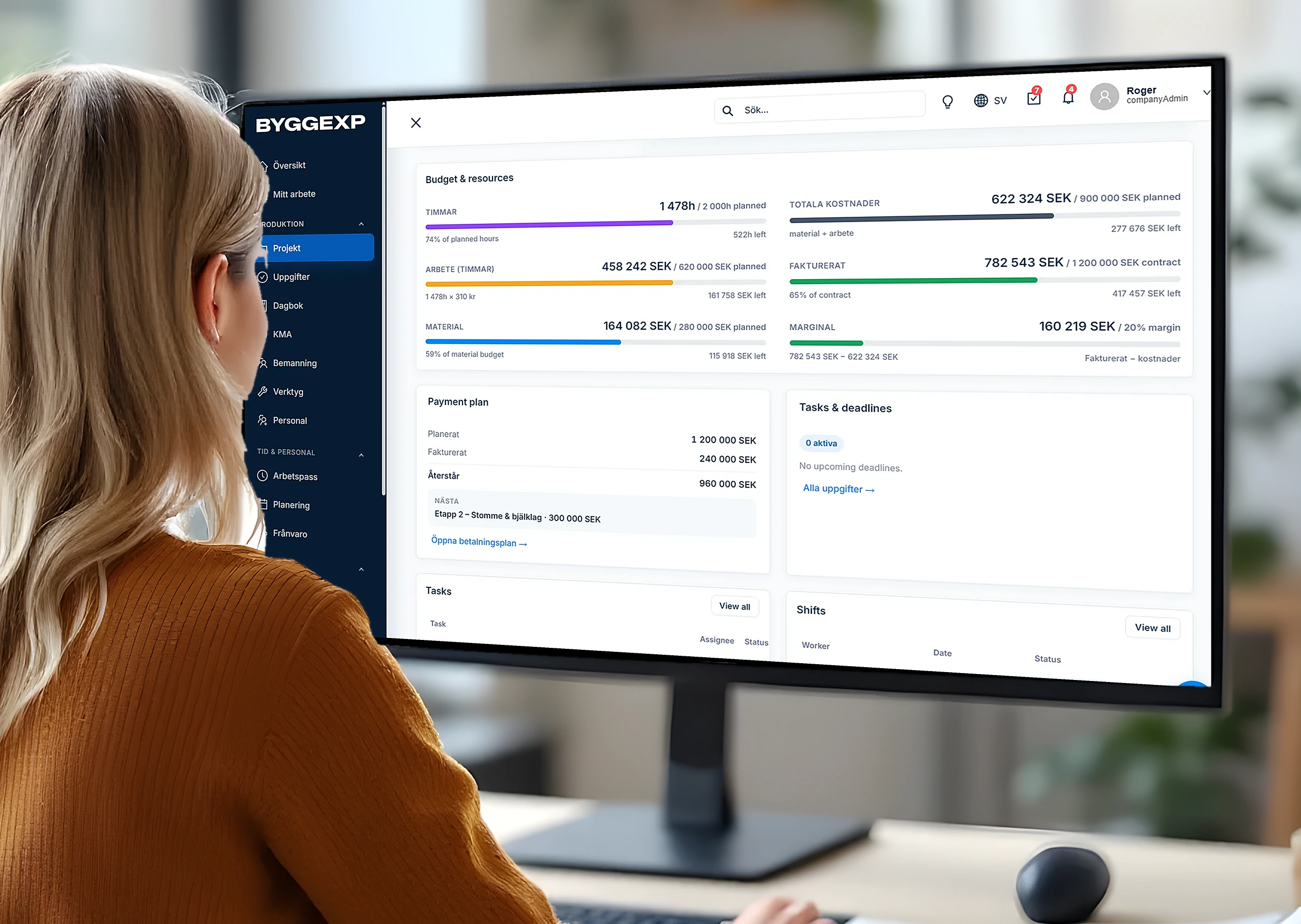
Monitor employees and sites in real time. The admin panel instantly sfeaturess who has started work, who is absent, and where everyone is working.

  • 1Open the admin panel
  • 2Go to the Live tab
  • 3Absent workers are immediately visible

Shift-based photo reports

Every photo is automatically linked to the shift, project, time and GPS location. No more guessing who took it, where it was taken or when it happened.

  • 1Take photos directly in the app
  • 2Photos are automatically linked to the shift and project
  • 3Access the full history anytime

Project and workforce planner

Plan projects, assign employees and balance your company's workload. See your entire schedule in one calendar.

  • 1Create a project and set the timeline
  • 2Assign employees to the project
  • 3Manage your team's workload

Equipment and tools tracking

Assign equipment and tools to employees or projects. Always know where your assets are and who is responsible for them.

  • 1Add equipment and tools
  • 2Assign them to a project or employee
  • 3Track location and responsibility

Create quotes

Create professional quotes in minutes. Project and customer information is filled in automatically, so you can send your offer faster.

  • 1Create a quote from the project
  • 2Project data is filled in automatically
  • 3Send it to the customer in a few clicks

Create invoices

Turn recorded work hours into ready-to-send invoices without manual calculations. Save time and get paid faster.

  • 1Select the project and period
  • 2Hours are added automatically
  • 3Send the invoice to the customer

All project documents in one place

Photos, drawings and documents are always linked to the correct project. Everything is stored in one place and available to your entire team.

  • 1Upload documents to the project
  • 2Add photos and drawings directly from the shift
  • 3Access everything in one place
What You Get in the End

Your projects stay under control — and you sleep better

Managers gain more time and reduce costs

The company operates faster and with less stress

The team spends time working, not dealing with chaos

Errors, lost hours, and confusion begin to disappear

How Much Does It Cost?

One Plan, Everything Included

No hidden fees. No surprises. No setup fees. Cancel anytime.

Starter
499SEK / month

1–10 users

  • All features included
  • Unlimited projects
  • No subscription
  • Mobile app + Admin Panel
Book a demoSetup takes 5 minutes.
Growth
899SEK / month

10–20 users

  • All features included
  • Unlimited projects
  • No subscription
  • Mobile app + Admin Panel
Book a demoSetup takes 5 minutes.
Proffesional
1799SEK / month

20–40 users

  • All features included
  • Unlimited projects
  • No subscription
  • Mobile app + Admin Panel
Book a demoSetup takes 5 minutes.
Enterprise
Let's Talk

40+ users

  • All features included
  • Unlimited projects
  • No subscription
  • Mobile app + Admin Panel
Book a demoSetup takes 5 minutes.
Ready to Try?

Book a demo — 15 minutes via video call

  • We'll help you set up ByggExp for you and your team
  • Try all features for free
  • We'll adapt ByggExp to fit your workflow

Request a Demo

Please enter your name
Enter a valid email address
Please enter your phone number

By submitting this form, you agree to the processing of your personal data. We do not share it with third parties.