Project economics comes down to a single question: are we making money on this job? With project economics in ByggExp you see budget vs. actuals, what the hours and materials actually cost, and the margin on the project – in real time, while there's still time to steer.
What project economics means in ByggExp
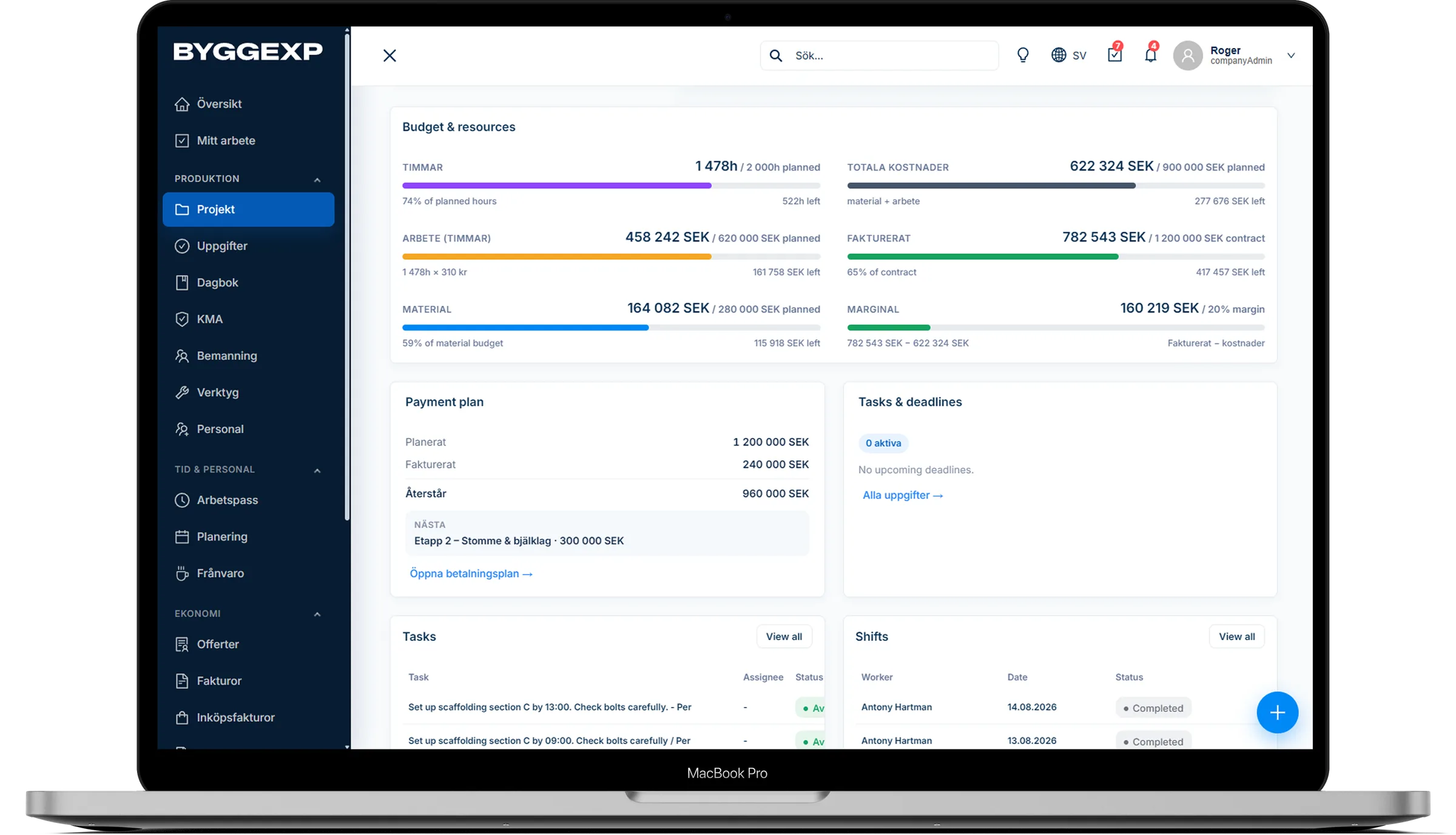
Project economics in ByggExp is a single view of a project's revenue and costs. Logged hours are converted into labour cost, purchased materials and receipts are added, and everything is measured against the budget and price you've set. The result is a clear picture of profitability – without you having to build your own Excel sheet.
How to do it in the web admin
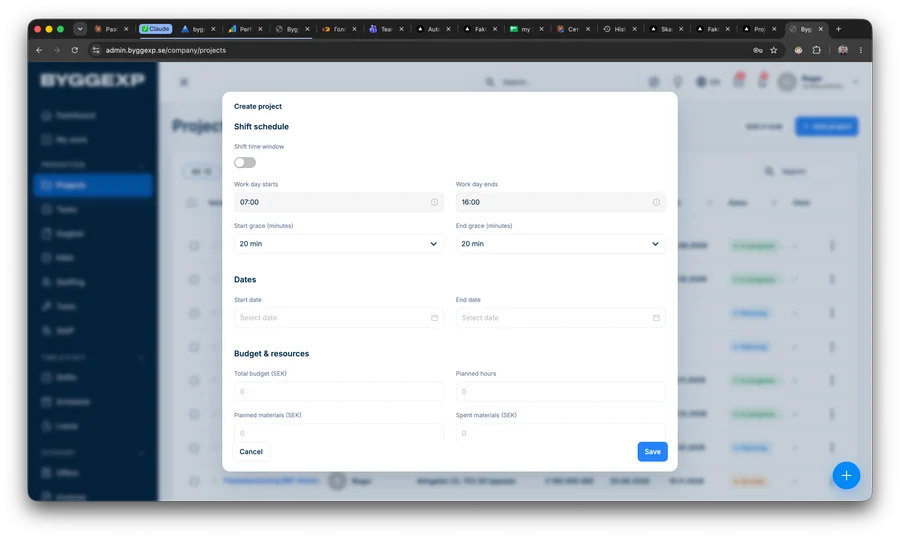
- Open the project and enter a budget – as a total figure or split across labour and materials.
- Go to the Economy tab and see budget vs. actuals and how much is left.
- Review the cost of hours and materials along with the calculated margin in both currency and percent.
- Act on projects that are approaching the budget ceiling – adjust staffing, invoice for additional works, or check in with the customer.
How to do it in the app
- The team logs time and records materials and receipts as they go, so the numbers are always up to date.
- As a manager you get a quick financial overview per project right on your phone.
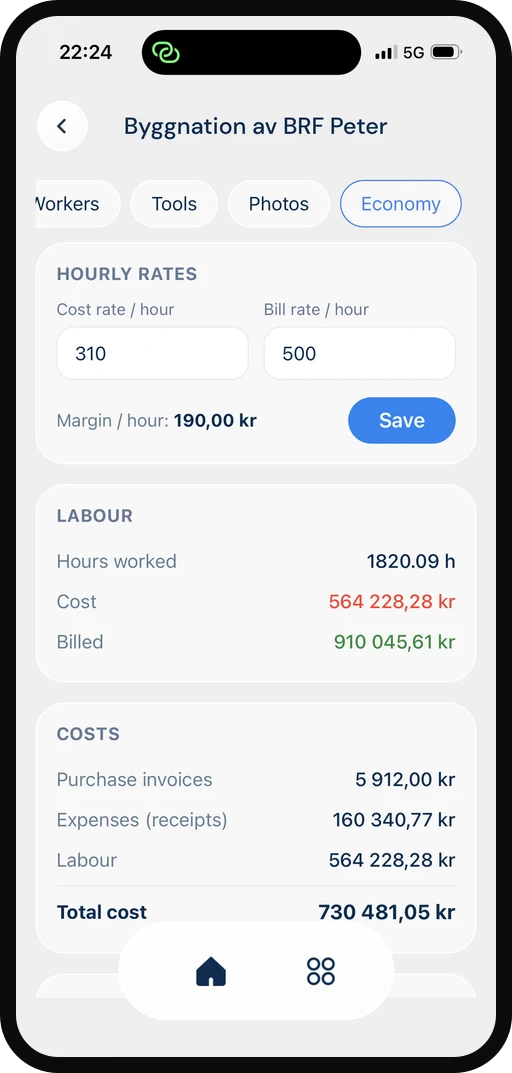
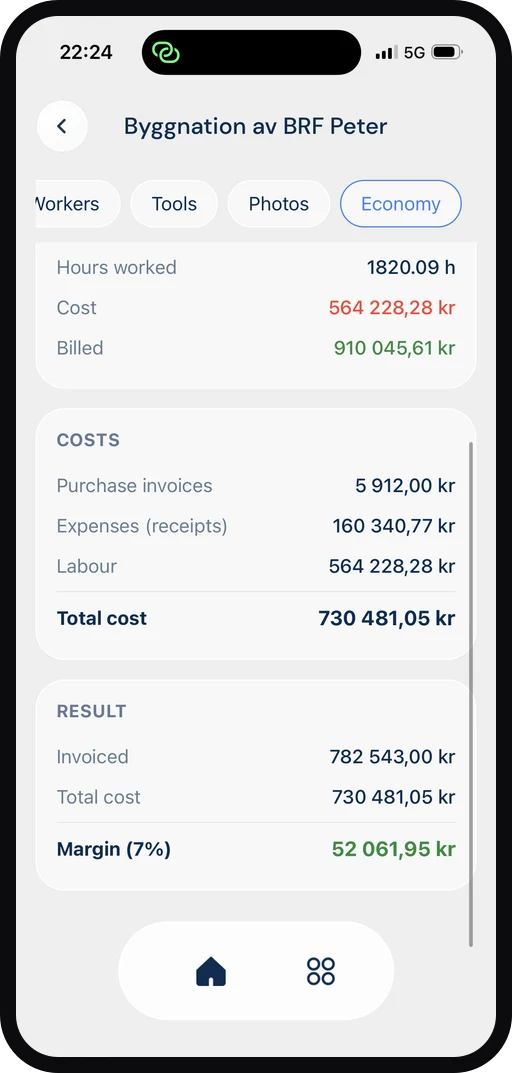
It all connects: the economics update from what the team is already doing – logged hours, materials, receipts and invoices sent. You see the balance against budget in real time, with no double entry.
Benefits
- Real-time control of profitability – no surprises at the end of the project.
- See immediately which projects are running over and may need attention.
- A better basis for your next quote, because you know what similar jobs actually cost.
- The same numbers for the whole team – no more scattered spreadsheets.
Tips
Set a realistic budget the moment the project is created – that way the comparison against actuals is meaningful from day one. Review the economics every week instead of waiting until the end; small deviations are easy to correct early. Use the actuals from completed projects as your reference point when pricing new jobs.
Frequently asked questions
Is labour cost calculated automatically?
Yes. When the team logs time, the hours are converted into cost based on the hourly costs you've entered, so the margin updates continuously.
Can I compare profitability across several projects?
Yes. You get an overview where you can see the margin and actuals for several projects at once and quickly spot which ones are the most profitable.
Want to know exactly which jobs are making money? Start tracking project economics in ByggExp and make decisions based on real numbers.